Your own mobile app, from one message.
Tell iwantmy.app what the app is for and who uses it. About a minute later it is running on a phone, with bookings, accounts, photos, maps and chat built in. No code, no developer, nothing to install.
- No code
- Ready in about a minute
- Free, no card

Keep talking. The app keeps up.
Your first message makes the app. Every message after that changes it, live, while you watch it in the Simulator. Nobody waits for a developer or an app store.
1.Describe it
Write what the app is for and who uses it, in plain words. No forms, no code, nothing to install.
Write a good request2.Try it
About a minute later your app is in a phone Simulator next to the chat. It saves real records from the first tap.
About testing3.Change it
Ask for changes in chat. Each one goes live when it is done, and a failed change leaves the app as it was.
Build your first app
Yesterday · The first request made the class list, the booking form and the staff screen.
Apps people will actually want to open
Every app gets a clean, native-feeling design with photos, tabs and real records. These three run on iwantmy.app today, each with its own theme and accent on the same controls.
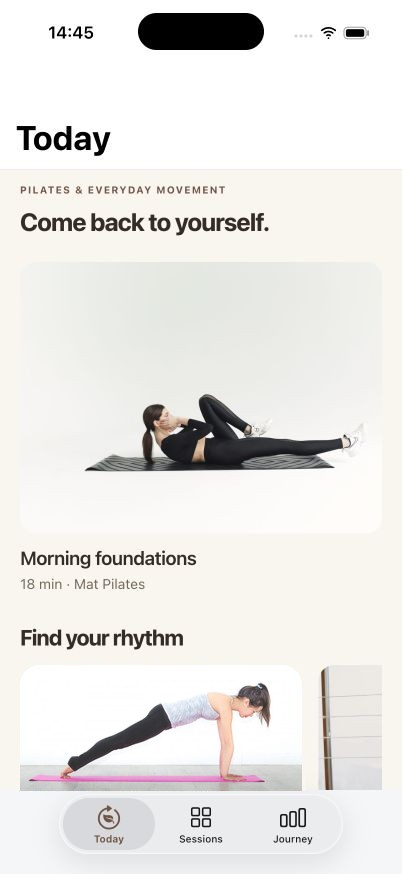
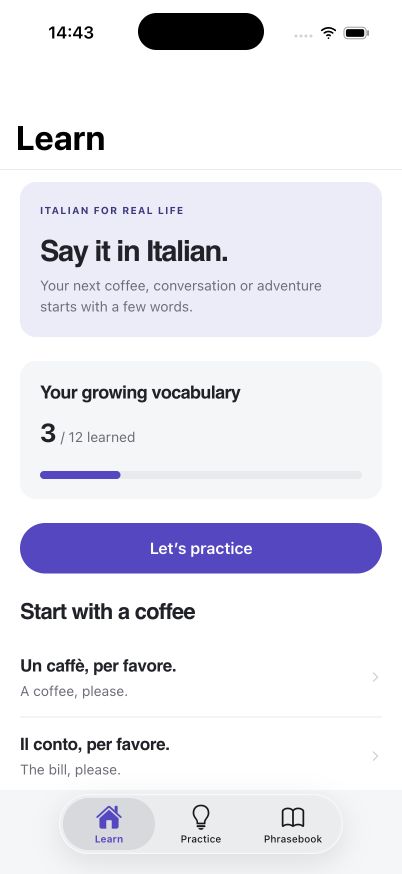
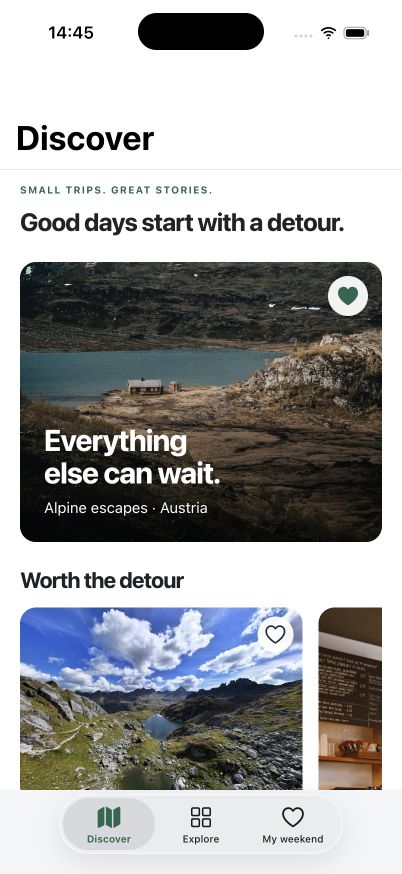
The hard parts are already built
Accounts, roles, bookings, photos, maps and chat usually take a developer weeks. Here they are a sentence in your request.
Accounts and privacy
Email sign-in for your users. Every record is private, shared or public, with clear rules for who sees what.
Staff roles
Your team sees every booking, order and request and edits the timetable. Customers see only their own.
Bookings with places
Classes and events show how many places are left and stop taking bookings when they fill up.
Photos
Matching sample photos on day one, and photos your users add from their phone.
Maps and location
Show places on a map, pin a report where it happened, or let a family share where they are.
Chat
Group conversations with text and photos, with unread counts for each person.
Made for the people around you
iwantmy.app is for the studio, team, club or family that needs its own app and was never going to hire a developer for it.
Studios and coaches
A class timetable, bookings with places left, members who sign in, and a staff view of every booking.
Teams and small businesses
A team chat with channels, requests and orders your staff can see, and field reports with photo and location.
Clubs and communities
Events people sign up for, news that only organisers post, and a board where members share.
Families and friends
A shared journal with photos, lists everyone can edit, and a map of where everyone is.
Simple, honest, yours
Nothing to set up
Build and test in your browser. There are no servers, databases or app settings to manage.
Your data stays yours
Each app has its own database. Delete an app and its records go with it.
Honest answers
When something is not possible yet, the assistant says so instead of faking it.
Free to start
One app and 30 AI changes a month, with no card. Upgrade when people start using it.
Start free, upgrade when people use it
Every plan has every feature. Plans differ in how many apps you keep, how many AI changes you make each month, and who can join your apps.
Questions and answers
Short guides cover accounts, staff, bookings, photos and the current limits.
Read the guidesDo I need to know how to code?
No. You describe the app and ask for changes in chat. You never edit code or settings files.
Where is my data stored?
On our servers, in a separate database for each app. Apps need a connection; nothing is kept only on a phone.
Can my app take payments or send notifications?
Not yet. See what apps cannot do yet for the full list.
What is an AI change?
Each message you send to the assistant, including questions. Requests that fail do not count.
How does billing work?
Paid plans are billed monthly by card through Clerk and Stripe. Cancel any time and keep your plan until the end of the month you paid for.
Your first app is one message away
Write what it should do. Sign up free, and the request is waiting for you in the dashboard. Try the app in the Simulator, change it by chat, and invite people when it is ready.